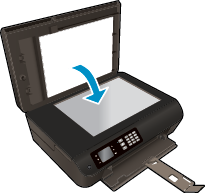
Load original
You can load your original print-side up in the automatic document feeder or print-side down on the right front corner of the scanner glass.
To load the original in the automatic document feeder
-
Slide the paper-width guides outwards.
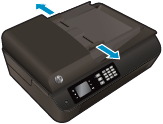
-
Load the original print-side up, head first, in the ADF.

-
Slide the paper-width guides inward until they stop at the edge of paper.
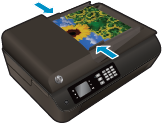
To load the original on the scanner glass
-
Lift the scanner lid.

-
Load the original print-side down on the right corner of the scanner glass.
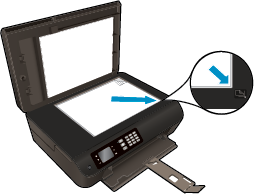
-
Close the scanner lid.